Place an acrylic table sign by checking its whole base and the way people approach the counter. The visible message area alone does not show whether the sign blocks a payment terminal, work surface or product handover.

Draw the occupied counter, including the base
Draw a plan of the actual counter. Mark its front edge, fixed equipment, normal working area and the sign base at its proposed orientation. Record any shelf above the sign and the area needed to remove it for cleaning or changeover.
Compare the maximum outside envelope with the usable space. A narrow panel on a deep base can occupy more counter than expected. For a slotted assembly, include the panel thickness and the supplier-confirmed slot interface in the drawing.
Mark the customer and staff viewing directions
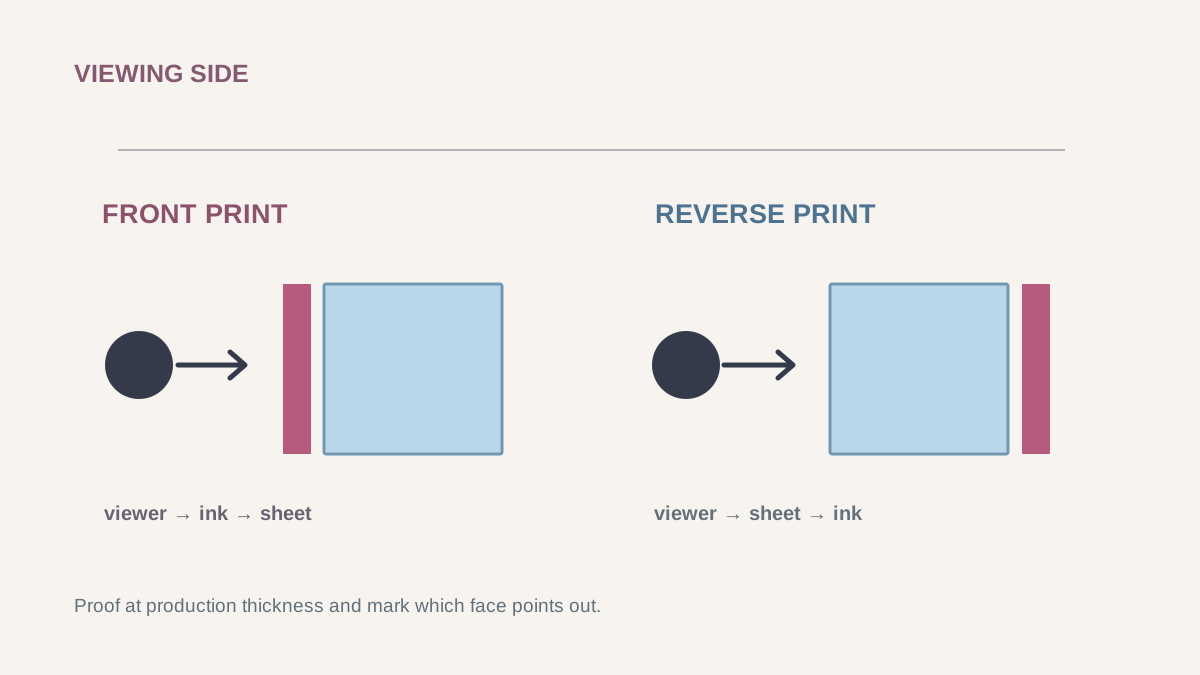
Use arrows on the plan to show where customers arrive and where staff stand. Decide whether the sign has one reading face, two separate faces or artwork viewed through the panel. Front and reverse artwork need explicit orientation.
Review a full-size proof at the intended position under representative lighting. Note reflections, obstructions and the distance from which the essential message must be read. Agree the visual criteria with the project team; there is no universal font size that the photograph can supply.
For a two-sided sign, check both sides with the base fitted. A reverse file that looks correct on screen may face the wrong way after assembly. Keep the reading-direction sketch beside the artwork revision.
Observe the tasks that pass around the sign
Walk through payment, product collection, staff reach and the sign-removal movement. Check whether hands, bags or cables cross the base. Observe the sign while it is handled in the intended setting and record any movement or interference.
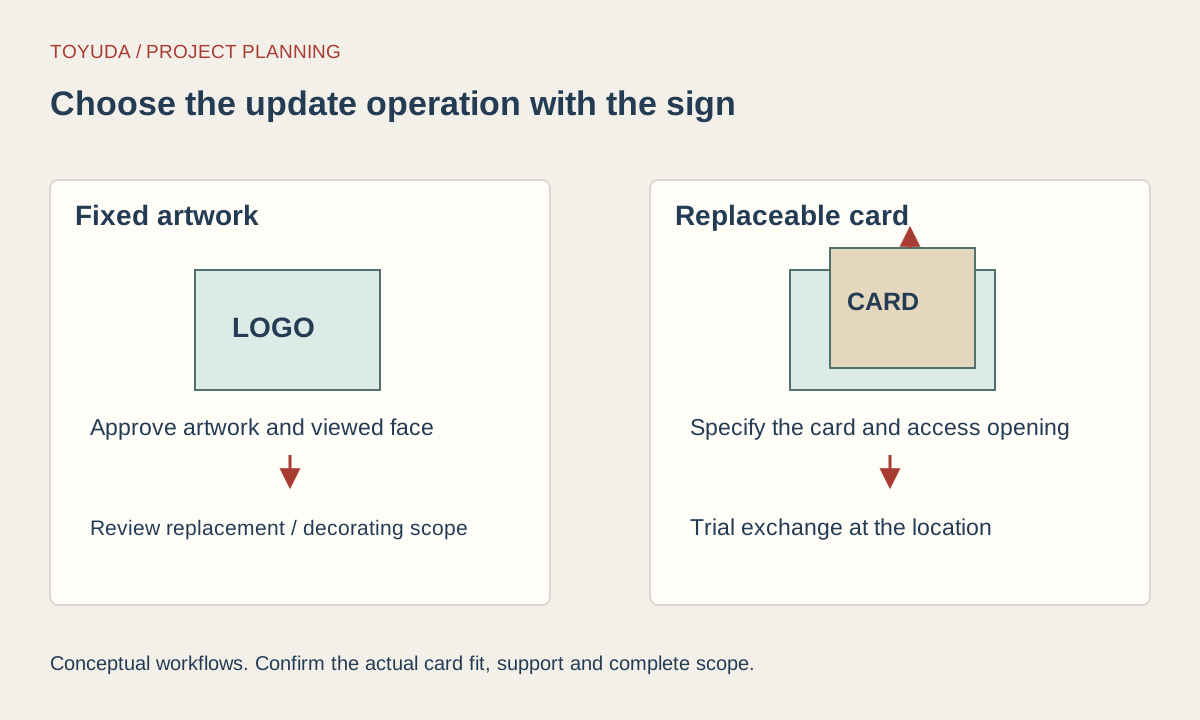
If an insert changes regularly, the holder opening and changeover route become part of the placement decision. A fixed printed panel follows a different workflow. Use the existing printed-sign-versus-insert guide to decide that construction before finalizing the counter layout.
| View or task | Question | Record |
|---|---|---|
| Customer approach | Which message is visible before reaching the counter? | Viewing arrow and full-size proof photo |
| Staff position | Does the sign interrupt work or hide equipment? | Staff-side layout photo |
| Handling route | Can products and hands pass around the base? | Observed task and interference notes |
| Changeover | Can the panel or insert be changed in place? | Removal route and assembly revision |
Approve a position and a sign revision together
Photograph the agreed sign position from the customer and staff sides. Record the base orientation, panel and artwork revisions, equipment layout and any agreed handling check. Keep the result with the location ID rather than marking the sign suitable for all counters.
If the counter equipment or message changes, revisit the affected reading and handling checks. Specify presentation packing so that a separate base and panel arrive identified as a matched assembly.
Download the project record
Use this blank record for the enquiry and agreed sample review. Mark unverified entries “To confirm” and retain the approved revision.
Acrylic Table Signs: Counter Footprint, Viewing Direction and Handling
Counter location and occupied plan:
Base and full sign outside dimensions:
Customer and staff approach arrows:
Front/reverse artwork IDs and revisions:
Lighting and representative viewing positions:
Payment, handover and changeover observations:
Approved placement photos and open actions:
Download this blank project record (.txt). Mark unknown entries “To confirm” and retain the approved revision.
Printed signs and insert holders · Front and reverse printing.
Specification questions
Should I order a double-sided sign for every counter?
Choose the reading faces from the actual customer and staff approaches. Some positions need one message face; others need separately approved front and reverse artwork.
Is the panel width the counter footprint?
Include the complete base, panel projection and the room needed for handling or insert changes.
Send the reference and project record. TOYUDA is a trading and supply-chain coordination partner and can coordinate specification and sample reviews with suitable suppliers.
Apply this guide to your project brief
Use the recorded interface and review conditions when comparing the proposed reference.
- Counter sign placement references
Confirm the actual construction, dimensions and approval scope for the project.
Prepare your quantity, artwork and delivery details before requesting a quotation.